


Description
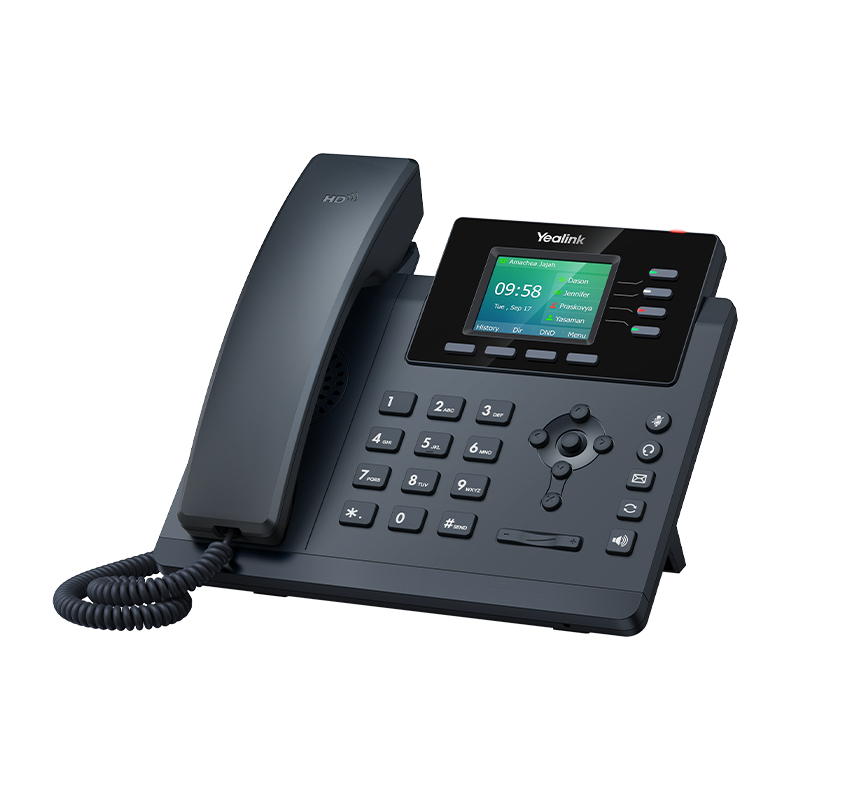
The latest addition to the T3 series, the Yealink T34W has built-in 2.4 and 5 GHz Wi-Fi (802.11a/b/g/n/ac): the phone works even when the room has no RJ45 socket nearby, which cuts cabling and makes it easy to add a desk or mount it on a wall. It registers four SIP accounts on four line keys, shows calls and menus on a 2.4-inch display (320 x 240 pixels) and stores 1,000 contacts. Conferencing, call park, call pickup, hot desking and voicemail with message indicator are supported. On the audio side, the T3 series Smart Noise Filtering technology removes background noise for clean conversations. On a wired connection, the two Gigabit ports and PoE remain available. TLS 1.3 and WPA3 secure communications, and the Yealink management platform enables centralized deployment and maintenance.
Specifications
| Reference | T34W |
|---|---|
| Brand | Yealink |
| Manufacturer order code | 1301037 |
| Type | SIP Wi-Fi phone |
| EAN code | 6938818317055 |
| SIP accounts | 4 |
| Line keys | 4 |
| Display | 2.4" 320 x 240 pixels |
| Audio | HD voice, Smart Noise Filtering, speakerphone |
| Features | Conferencing, call park, call pickup, hot desking, voicemail |
| Phonebook | 1,000 contacts |
| Wi-Fi | 2.4 and 5 GHz, 802.11a/b/g/n/ac |
| Network | 2 x RJ45 10/100/1000 |
| Security | TLS 1.3, WPA3 |
| Headset | RJ9, optional EHS35 adapter |
| Power | PoE 802.3af, optional 100-240 V power adapter |
| Mounting | Desk or wall |
| Dimensions | 212 x 186 x 146 mm |
| Packed weight | 1.12 kg |
Use and tips
The T34W answers situations where running a network cable costs more than the phone: a desk created in an existing space, a counter, a meeting room, an annex, a wall-mounted phone. It joins the company Wi-Fi and registers on the IP PBX or the SIP-compatible VoIP service like any wired phone, with its four accounts. On Wi-Fi, plan the Yealink power adapter (sold separately); on a wired connection, a PoE switch is enough. A YHS34 or YHS36 RJ9 headset, or a wireless headset through the EHS35 adapter, completes the desk. For two accounts only, see the T31W.
Frequently asked questions
Which PBX or provider does this phone work with?
With any SIP-compatible IP PBX or VoIP service (3CX, Asterisk, hosted Centrex). Tell us about your setup through our contact page and we confirm compatibility before you order.
Do I need a power adapter on Wi-Fi?
Yes. PoE only powers the phone through the Ethernet cable. When used on Wi-Fi without a network cable, the T34W must be powered by the Yealink 100-240 V power adapter, sold separately.
What is the warranty?
Two-year statutory conformity warranty, plus the Yealink manufacturer warranty under its own terms.
Where are the firmware, manuals and guides?
Yealink provides the firmware, user manual and administrator guide of this phone free of charge: our Yealink support page takes you straight to the documents for this model.

