


Description
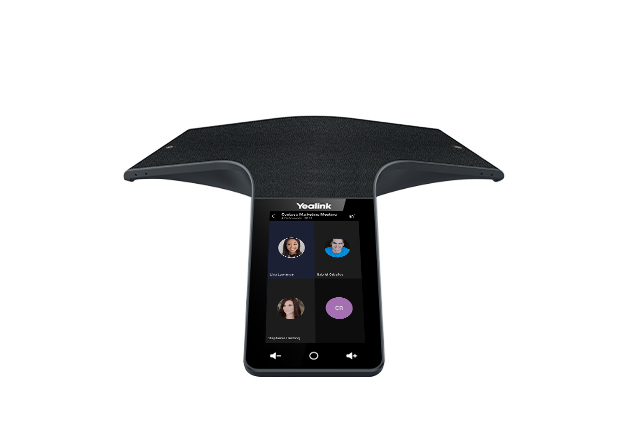
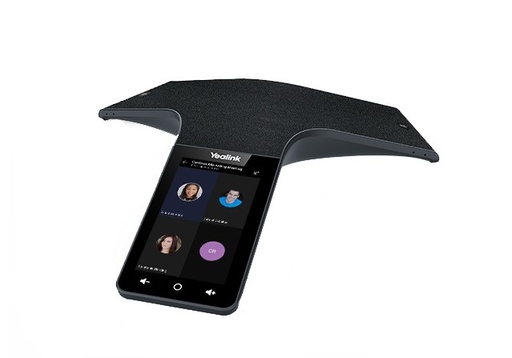
The Yealink CP965 Teams edition is Yealink's top-of-the-range conference phone shipped with the Microsoft Teams interface on Android 11: Teams calls, meetings, synced Outlook calendar and one-tap join from the 5-inch touch screen (720 x 1,280 pixels). Its 13 microphones, spread across the feet and the center of the unit, pick up voices at 360° up to 6 meters away and cancel unwanted noise; the 56 mm, 5 W speaker reaches 94 dB so that everyone hears, with up to 10 participants in conference. It connects to the network over RJ45 with PoE 802.3at or over 2.4 / 5 GHz Wi-Fi, pairs over Bluetooth 4.2 with a smartphone or a PC, and its USB-A and USB-C ports serve for recording to a USB stick or for the CPN10 analog line adapter. This version is dedicated to Teams and cannot be switched to SIP mode.
Specifications
| Reference | CP965 Teams |
|---|---|
| Brand | Yealink |
| Manufacturer order code | 1304017 |
| Type | Microsoft Teams conference phone |
| EAN code | 6938818310766 |
| Operating system | Android 11, Microsoft Teams interface (cannot be switched to SIP) |
| Account | Microsoft Teams |
| Conferencing | 10-way |
| Display | 5" color touch screen, 720 x 1,280 pixels, touch-sensitive keys |
| Audio | 13 microphones at 360°, 6 m pickup, 56 mm / 5 W speaker, 94 dB, full duplex |
| Codecs | Opus, G.722, G.722.1C, G.711a/u, G.723, G.726, G.729, iLBC |
| Phonebook | 1,000 contacts |
| Network | 1 x RJ45 10/100, QoS |
| Wi-Fi | 2.4 / 5 GHz, 802.11a/b/g/n, WPA2, WPA3 |
| Bluetooth | 4.2, smartphone or PC pairing |
| USB | 1 x USB-A and 1 x USB-C 2.0: recording to USB stick, optional CPN10 analog line adapter |
| Expansion microphones | Optional CPW65, up to 2 |
| Power | PoE 802.3at (injector not included), 20 W |
| Dimensions | 328 x 322 x 62 mm |
| Packed weight | 1.80 kg |
Use and tips
The CP965 Teams edition equips the large meeting rooms and boardrooms of companies that call and meet on Microsoft Teams: it joins the scheduled meeting with one tap, without a computer. Its 13 microphones cover a long table up to 6 meters. Connect it to a PoE 802.3at switch or plan an injector, not supplied. Check that your Teams licensing allows room devices. If your PBX is SIP, choose the CP965 SIP version: this edition cannot be switched.
Frequently asked questions
Which PBX or service does this phone work with?
Only with Microsoft Teams: this is a dedicated edition that cannot be switched to SIP mode. For an IP PBX or a SIP provider, the CP965 SIP version exists. If in doubt, describe your environment through our contact page and we point you to the right version.
What is the difference with the CP965 SIP?
The hardware is the same (13 microphones, 5-inch screen, PoE, Wi-Fi, Bluetooth, USB). The Teams edition runs Android 11 with the Microsoft Teams interface and the Outlook calendar; the SIP version runs Android 9 and registers to an IP PBX. The choice is final: neither version converts into the other.
What is the warranty?
Two-year statutory conformity warranty, plus the Yealink manufacturer warranty under its own terms.
Where are the firmware, manuals and guides?
Yealink provides the firmware, user manual and administrator guide of this phone free of charge: our Yealink support page takes you straight to the documents for this model.

