
Description
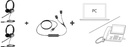
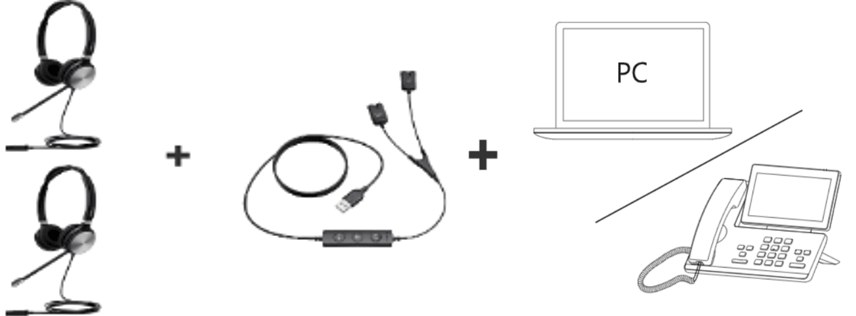
This Yealink training cable connects two QD wired headsets, YHS34 or YHS36 E2, to a single USB port on the PC or the phone: one for the trainee, the other for the trainer. In monitoring mode, the trainer follows the call without stepping in; a short press on the button enters coaching, where only the trainee hears the advice; in intervention, both headsets speak, each with its own volume and mute; a long press triggers take-over, which cuts the trainee's microphone, lights their red indicator and leaves the trainer alone on the line with the customer.
Specifications
| Reference | 1300084 |
|---|---|
| Brand | Yealink |
| Manufacturer order code | 1300084 |
| Type | USB/QD training cable |
| Connection | USB, to a PC or a phone |
| Compatible headsets | Yealink YHS34, YHS36 E2 (QD connector) |
| Headsets connected | 2 |
| Modes | Monitoring, coaching, intervention, take-over |
| Switching | Button: short press (coaching), long press (take-over) |
| Indicator | Solid red on the trainee side in take-over mode |
| Independent controls | Mute and volume on each headset |
| Packed weight | 0.18 kg |
Use and tips
This cable is meant for call centers, customer service departments and sales teams that train new agents with Yealink YHS34 or YHS36 E2 wired headsets: the trainer first listens to live calls, whispers instructions the customer cannot hear, then steps in or takes the call over when needed. It works with a softphone on a PC or with an IP phone fitted with a USB port. Both headsets plug in directly through their QD connector, with no extra cord. For UH series USB headsets or BH series Bluetooth headsets, choose the USB version of the cable.
Frequently asked questions
Which headsets does this cable work with?
With Yealink YHS34 and YHS36 E2 wired QD headsets. For another headset or to check your phone, write to us through our contact page.
What is the difference between coaching and intervention modes?
In coaching mode, only the trainee hears the trainer; the customer does not. In intervention mode, both headsets take part in the call with full telephony functions. A long press switches to take-over: only the trainer's microphone stays active.
What is the warranty?
Two-year statutory conformity warranty, plus the Yealink manufacturer warranty under its own terms.
Where are the firmware, manuals and guides?
Yealink provides the firmware, user manual and administrator guide of this module free of charge: our Yealink support page takes you straight to the documents for this model.