Description
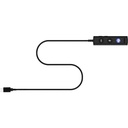
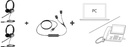
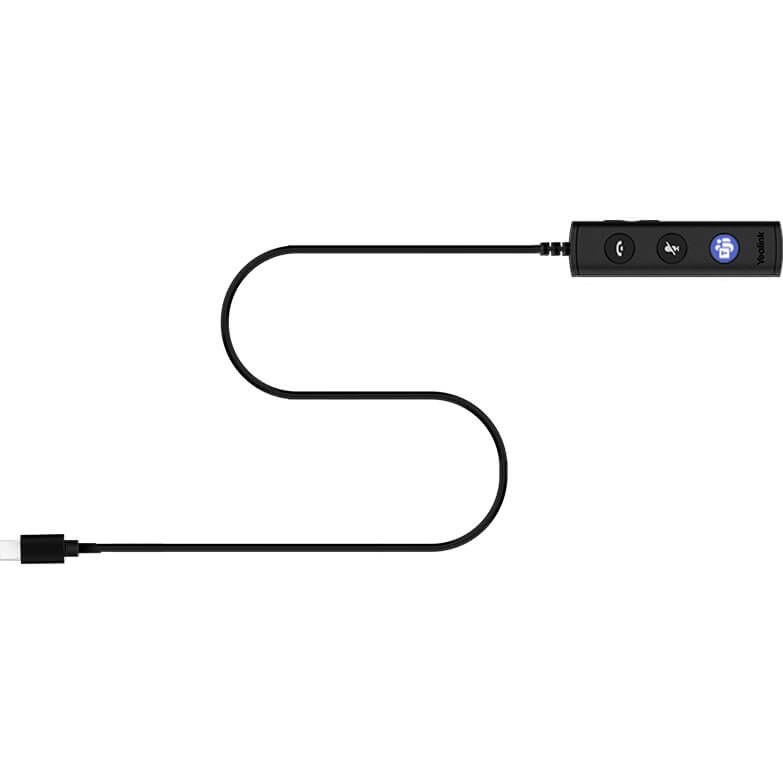
This controller is the spare part for the Yealink UH36 wired headset in its Microsoft Teams version. It sits between the headset and the computer and ends in a USB-C connector, which suits recent laptops without a USB-A port. The original controller is the most exposed element of a wired headset: pulled, pinched or bent every day, it eventually fails while the earpieces are intact. Replacing it gives the UH36 back all of its controls without buying a new headset. Sold on its own, without the headset.
Specifications
| Reference | 1300082 |
|---|---|
| Brand | Yealink |
| Manufacturer order code | 1300082 |
| Type | Headset USB controller |
| Compatibility | UH36 |
| Connectivity | USB-C |
| Version | Microsoft Teams |
| Function | Replaces the headset's original controller |
| Contents | 1 controller, no headset |
| Packed weight | 0.23 kg |
Use and tips
This controller is meant for companies that equip their staff with UH36 headsets on Microsoft Teams: call centers, customer services, home office, open spaces. It rescues a headset whose control unit no longer responds, and it also lets a UH36 be used on a recent laptop that only offers USB-C ports. Make sure your headset is a UH36: other Yealink wired headsets have their own controller. For a desk that often switches between PC and desk phone, an additional headset remains the most practical solution.
Frequently asked questions
Does this controller fit my headset?
It is intended for the Yealink UH36 wired headset in its Microsoft Teams version. For a UC version or another Yealink headset, tell us the exact reference through our contact page and we point you to the right controller.
How does it differ from the USB-A controller?
Only the connector on the computer side: this version plugs into a USB-C port. Choose it if your laptop has no USB-A port or if you want to avoid an adapter.
What is the warranty?
Two-year statutory conformity warranty, plus the Yealink manufacturer warranty under its own terms.
Where are the firmware, manuals and guides?
Yealink provides the firmware, user manual and administrator guide of this module free of charge: our Yealink support page takes you straight to the documents for this model.