




Description
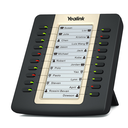
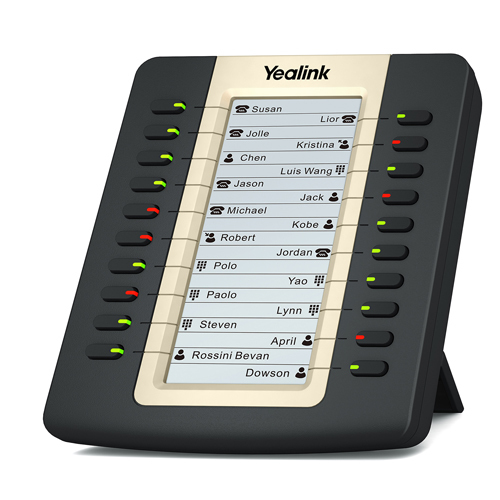
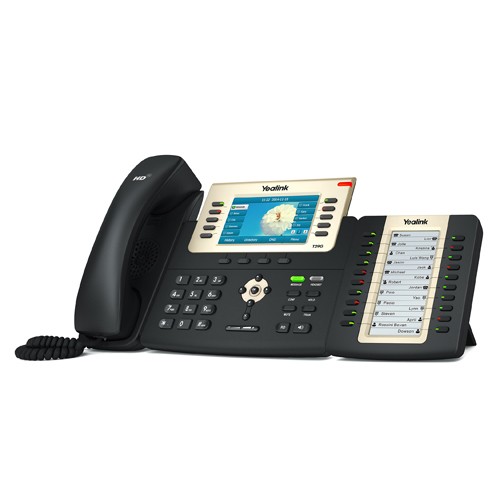
The EXP20 mirrors the design of the T27P and T29G phones and adds a panel of 20 physical dual-color LED keys, whose assignment is shown on a backlit 160 x 320 pixel graphic LCD, with no paper label. Each key serves as a speed dial, a BLF or BLA monitoring key, call forwarding, transfer or hold, and the multi-page display multiplies the available functions. The module connects to the phone over RJ12 and chains up to six units: the first two are powered by the phone, beyond that a 5 V / 2 A power adapter (not included) is required. Non-slip feet and a stand adjustable in tilt.
Specifications
| Reference | EXP20 |
|---|---|
| Brand | Yealink |
| Manufacturer order code | 1300031 |
| Type | Expansion module |
| EAN code | 6938818301313 |
| Compatibility | T27P, T29G |
| Keys | 20 physical keys, dual-color LEDs, multi-page display |
| Display | Graphic LCD, 160 x 320 pixels, backlit |
| Connectivity | 2 x RJ12 (6P6C) |
| Daisy-chained modules | Up to 6 |
| Power | From the phone (2 modules), 5 V / 2 A power adapter beyond (not included) |
| Color | Black |
| Dimensions | 112 x 110 x 143 mm |
| Packed weight | 0.55 kg |
Use and tips
The EXP20 is meant for reception, switchboard or assistant desks fitted with a T27P or a T29G that must see at a glance who is on the line and transfer without searching: 20 contacts per module, up to six modules on one phone. Check your phone model before ordering: the module is only intended for these two references. Beyond two chained modules, add the 5 V / 2 A power adapter. For a T43U, T46U, T48U or T44W, choose the EXP43; for the T7 and T8 series, the EXP55.
Frequently asked questions
Is this module compatible with my phone?
It works with the Yealink T27P and T29G. For another model, tell us through our contact page and we point you to the right module.
Does it need a power supply?
Not for one or two modules, which are powered by the phone. From the third chained module, add the Yealink 5 V / 2 A power adapter, sold separately.
What is the warranty?
Two-year statutory conformity warranty, plus the Yealink manufacturer warranty under its own terms.
Where are the firmware, manuals and guides?
Yealink provides the firmware, user manual and administrator guide of this module free of charge: our Yealink support page takes you straight to the documents for this model.

