

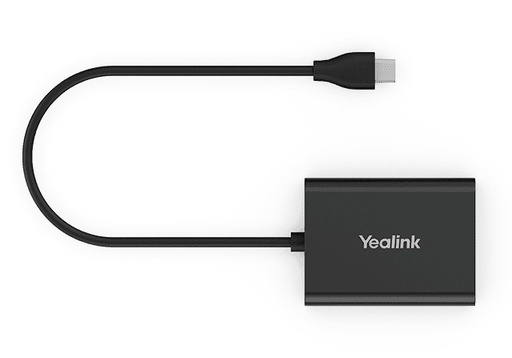
Description
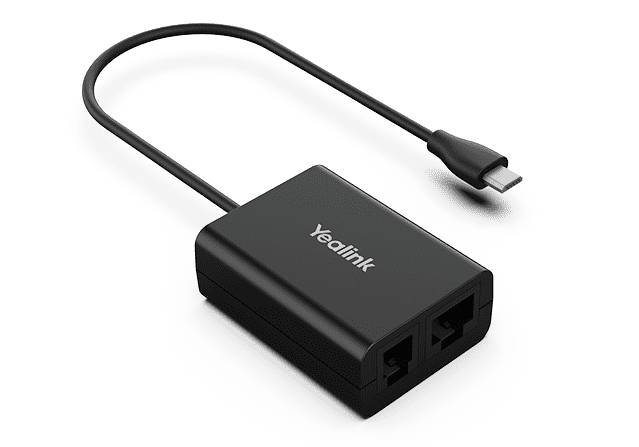
The EHS60 is the first version of the Yealink EHS adapter for third-party desk phones. It sits between the base of a WH62 or WH63 DECT headset (Micro-USB side) and the phone (RJ45 or RJ9) and controls calls from the headset: answer, reject, hold, mute, hang up, switch between calls and adjust the volume. Three cables are supplied for Cisco, Avaya, Poly and Grandstream phones. It only works with WH62 and WH63 headsets in hardware version 1, identified by the EHS60 Supported label on the box and the base, or checkable in the Yealink USB Connect software.
Specifications
| Reference | EHS60 |
|---|---|
| Brand | Yealink |
| Manufacturer order code | 1308019 |
| Type | EHS adapter |
| EAN code | 6938818309159 |
| Compatible headsets | WH62, WH63 (hardware version 1, EHS60 Supported label) |
| Compatible phones | Cisco, Avaya, Poly, Grandstream |
| Connectors | Micro-USB, RJ45 (8P8C), RJ9 (4P4C) |
| Functions | Answer, reject, hold, mute, hang up, call switching, volume |
| Headset hardware version | 104.1.18.3.0.0, checkable with Yealink USB Connect |
| Contents | Adapter, 3 phone cables |
| Color | Black |
| Packed weight | 0.169 kg |
Use and tips
The EHS60 is for companies using Yealink WH62 or WH63 DECT headsets on Cisco, Avaya, Poly or Grandstream phones: call center, reception, customer service, secretarial desk. It saves returning to the phone to pick up and supports switching between calls, useful on busy desks. Before ordering, check that your headset base carries the EHS60 Supported label, or verify its hardware version with Yealink USB Connect. For Mitel, Unify or Yealink phones, the right adapter is the EHS61; for WH64, WH68 and WH63 E2 headsets, the EHS62.
Frequently asked questions
Is this adapter compatible with my phone and headset?
It works with Yealink WH62 and WH63 headsets in hardware version 1 (EHS60 Supported label) and with Cisco, Avaya, Poly and Grandstream phones. Tell us your exact model through our contact page and we confirm the connection.
How do I know if my WH62 or WH63 headset is compatible?
The EHS60 Supported label must appear on the box label and on the headset base label. You can also check with the Yealink USB Connect software that the hardware version is 104.1.18.3.0.0.
What is the warranty?
Two-year statutory conformity warranty, plus the Yealink manufacturer warranty under its own terms.
Where are the firmware, manuals and guides?
Yealink provides the firmware, user manual and administrator guide of this module free of charge: our Yealink support page takes you straight to the documents for this model.

