


Description
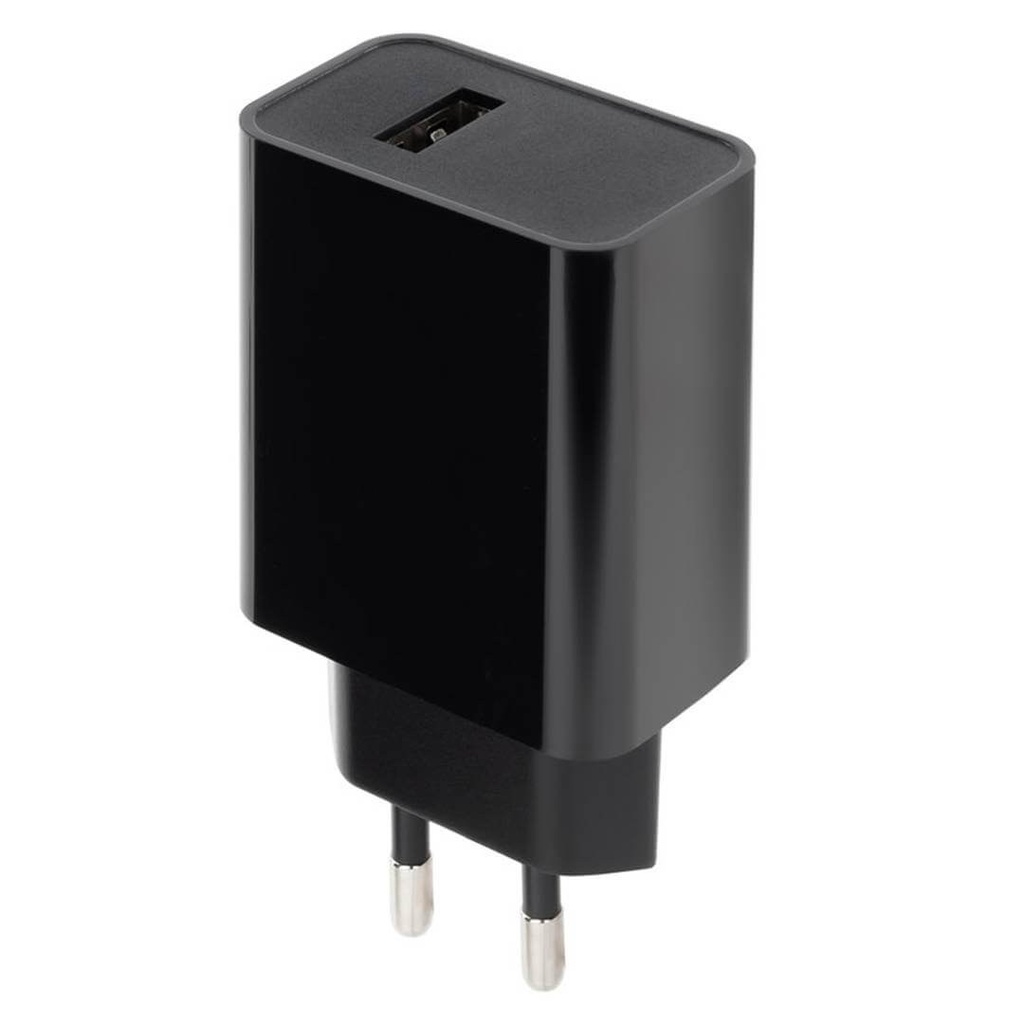
This Yealink mains adapter delivers 5 V and 600 mA on a USB A socket. The distributor intends it for the Yealink W56H DECT handset, sold alone as an additional handset or in a pack with the W70 base: it powers the desk charger in which the handset recharges. It replaces a lost or damaged original adapter and prevents a handset from staying flat. The reference contains the mains adapter only. Check that your charger connects over USB A: the 5 V / 600 mA adapter with a round tip carries reference 33150004.
Specifications
| Reference | 33150005 |
|---|---|
| Brand | Yealink |
| Manufacturer order code | 33150005 |
| Type | Power adapter |
| Compatibility | W56H (handset alone or W70 + W56H pack) |
| Output voltage | 5 V |
| Output current | 600 mA |
| Connector | USB A |
| Contents | 1 power adapter |
| Packed weight | 0.1 |
Use and tips
This power adapter is meant for companies using Yealink W56H DECT handsets in workshops, warehouses, shops or practices that need to bring back into service a charger whose adapter has disappeared or stopped working. It is also useful to set up a second charging point in another room, or to build a spare stock on a site with several handsets. Its USB A output also allows use with the original USB cable. Check your charger's socket type before ordering; for the DECT base station itself, choose the power adapter matching its model.
Frequently asked questions
Does this power adapter suit my handset?
It is intended for the charger of the Yealink W56H handset, sold alone or with the W70 base. For another Yealink handset or base station, tell us through our contact page and we check the suitable reference.
What is the difference with reference 33150004?
Both adapters deliver 5 V / 600 mA. This one ends in a USB A socket for the W56H charger; reference 33150004 uses a round tip and targets the T19, T21, T23, T31, T40 phones and the W52, W53, W59R DECT models.
What is the warranty?
Two-year statutory conformity warranty, plus the Yealink manufacturer warranty under its own terms.
Where are the firmware, manuals and guides?
Yealink provides the firmware, user manual and administrator guide of this module free of charge: our Yealink support page takes you straight to the documents for this model.
Product compatibility
Compatible devices
This accessory is offered for the devices below.

Yealink 33150005 power adapter
Availability to be confirmed
17.90 €
incl. VAT
17
Dakota Points
Create an account to earn these points and get €5 off from 500 points.
Create account
Sign in
