

Description
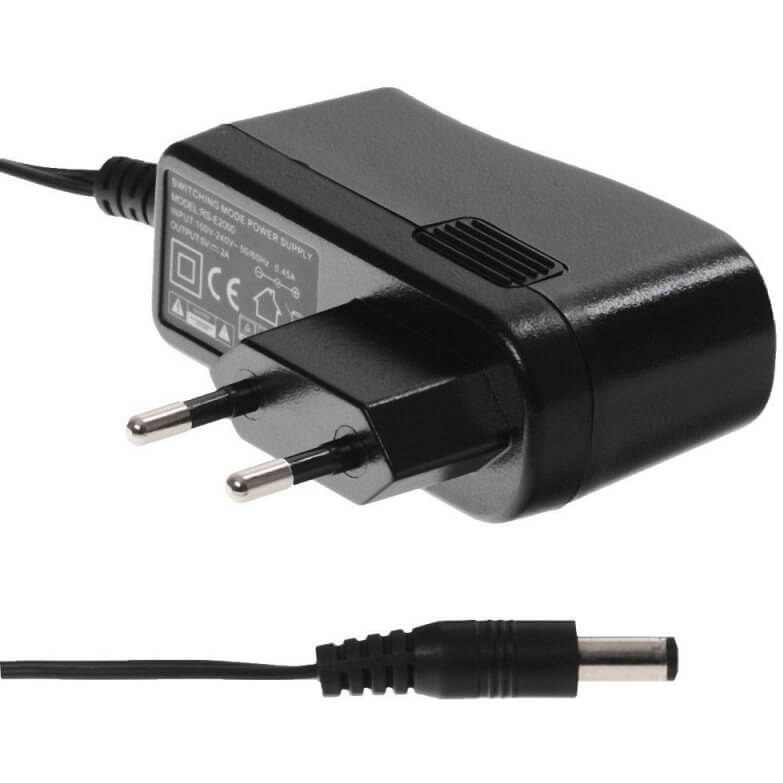
This Yealink mains adapter delivers 5 V and 600 mA, enough power for the brand's entry-level desk phones and compact DECT equipment. The distributor lists it for the Yealink T19, T21, T23, T31 and T40 as well as the W52, W53 and W59R DECT models, noting that the list is not exhaustive. It powers a phone connected to a switch without PoE or installed at a home worker's desk, and replaces a lost or damaged original adapter. The reference contains the mains adapter only; the phone is sold separately.
Specifications
| Reference | 33150004 |
|---|---|
| Brand | Yealink |
| Manufacturer order code | 33150004 |
| Type | Power adapter |
| Compatibility | T19, T21, T23, T31, T40, W52, W53, W59R (non-exhaustive list) |
| Output voltage | 5 V |
| Output current | 600 mA |
| Contents | 1 power adapter |
| Packed weight | 0.1 |
Use and tips
This power adapter is meant for small businesses and home workers using a Yealink T19, T21, T23, T31 or T40 without a PoE switch, and for sites with W52, W53 or W59R DECT models that need to bring back into service a base or charger deprived of its adapter. It is also the spare part to keep in stock for a fleet of entry-level phones. On a PoE port, no adapter is needed. If your model is not in the list, compare the 5 V / 600 mA rating on the label of the old adapter; T4x, T5x phones and EXP modules require the 5 V / 2 A version 330000012027.
Frequently asked questions
Does this power adapter suit my phone?
It is listed for the Yealink T19, T21, T23, T31, T40 and the W52, W53, W59R DECT models, non-exhaustive list. For another model, tell us through our contact page and we check the suitable reference.
Is this adapter needed with a PoE switch?
No. A phone connected to a PoE port is powered through the network cable. This adapter is only useful without PoE, for a DECT device, or to replace an original adapter.
What is the warranty?
Two-year statutory conformity warranty, plus the Yealink manufacturer warranty under its own terms.
Where are the firmware, manuals and guides?
Yealink provides the firmware, user manual and administrator guide of this module free of charge: our Yealink support page takes you straight to the documents for this model.

